
This article was originally written for blogs under Blogger. However all the same principals apply to any blog.
Has the presence of word verification ever stopped you from commenting on another’s blog?
How about the good ol’ noreply when you email another?
As a weekend host of a fairly large linkup event, I visit a lot of blogs. It’s been really fun getting to know more and more of you!
However, some visits require jumping through hoops to get my comment of gratitude to you. Or even an email. And most of you aren’t even aware of it.
Let’s look at it this way. Have you ever answered your door to a guest, only to immediately hand them a dish cloth, requesting they do your dishes before you can visit? Silly scenario, isn’t it? Well, some blog default settings sort of do the same thing to your blog visitors. The settings make your guests work in order to leave a comment.
The problem?
Default settings
When you start a new blog, there are default settings in place. With a few minor tweaks, your blog can immediately become more visitor friendly!
Having our visitors feel welcome is critical for blog success. And making it easy to leave comments and emails back to all is even more imperative if you wish for those comments. Trust me, I use to use all these safety gadgets in my earlier days of blogging. But today, I’ve found better ways around the issues. So, allow me to help make your blog more visitor friendly this very instant!

Word verification
What it does:
When a visitor makes a comment, a funky or sometimes scrambled word comes up, where they must type it out in order to have the comment go through. This keeps spammers from leaving comments on your blog.
Lecture
This is not only a spam deterrent, it can also be a comment deterrent. At times, it’s a 3 step process to leave a comment. First you comment, then do word verification, then sometimes a third to verify. (I don’t know why this is!) I miss the 3rd step nearly every time, as I have to manually scroll to read whether the comment took or not. And if I don’t verify, my comment will not be there. Which happens to LOTS of my comments. And I don’t go back to enter again.
So what about the spam issue then? Some of us will get hit, and then you have a reason to put it back on. However there ARE other ways to deal with the spam. I use email notification to keep track of where it goes. And with the new blogger templates, there’s now an auto spam filter that catches most of it.
So, I vote remove word verification TODAY and let’s ease the pain of 2 or 3 clicks it takes to leave a comment on your blog.
99% of you don’t know you have it activated. Guaranteed. Check it out.
How to deactivate (or activate) word verification
dashboard
settings
comments
scroll down to: Show word verification for comments?
please select NO. 🙂
click save settings

Comment notification
What it does:
Every time someone comments on your blog, you’ll get an email which makes it soooo easy to reply back to your visitors! (IF they have comment notification enabled as well)
Lecture
You know how much work it is to hunt for someone’s blog in order to find their email to comment back. This makes it a breeze! Just do it and thank me later. This is also how I gauge spam.
How to activate comment notification
dashboard
settings
comments
scroll down to: Comment Notification Email
fill in your email
click save settings

Comment moderation
What it does:
When someone comments, you have a chance to moderate the comment before allowing it to be published on your blog. The comment will not appear until it is approved by the blog owner.
Lecture
I honestly LIKE seeing my comment publish right away on your blog. I like to check for spelling errors and if I sounded like a dork or not and may wish to redo it. 🙂
Ask yourself why you’re still moderating comments. 99.9% of them are super nice! And now you have comment notification on so you’d get an email on where to locate it in order to delete it if desired anyway. Same with spam. So go ahead. Live dangerously. Deactivate this one. It’ll save you work and offer your guests instant gratification.
How to activate/deactivate comment moderation
dashboard
settings
comments
scroll down to: Comment moderation
select NEVER … I mean, if you want 🙂
click save settings

Activate your profile / email
What it does
If your profile is activated, this provides a means in which we can #1 email you IF you activate email, and #2 – you’ll show up in other’s email notifications. Which is truly what you want. Trust me.
Lecture
Let’s say you leave me a comment and I want to write you back. If I need to go hunt down your blog (which one, anyway? many of you have more than one), then leave a comment on some non applicable post in order to reach you, chances are I won’t do it.
How do I KNOW you don’t have your email or profile activated? Because when I go try and email you, your email address shows up as noreply. Which really means NO REPLY. Which means I can send it but it won’t get to you.
Leery on having a profile for security reasons? Leave your profile blank but at least activate a new hotmail email account you can later delete if going public isn’t working for you. However, if you’re public with a blog, you really ought to go public with an email. It’s good PR for your visitors.
How to activate your profile and email
#1. CREATE a profile if you don’t have one already. This is somewhere in your initial blog settings.
#2. Once created, you need to activate it.
dashboard
look to the upper left
select edit profile
under privacy –
select – show my profile
select – show my email address
under identity –
ADD – your desired online email address
click save profile
Embedding comments under post
What it does
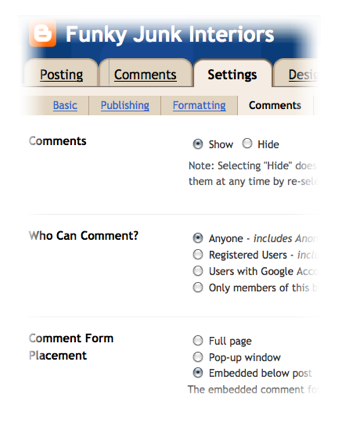
If embedding is chosen, your comments will show up underneath your blog post in one long scrolling page after you click your home page. No popup boxes or separate pages applicable.
Lecture
Ever wish to comment but wish you could scroll up to take a gander at the post while you do so? My comments are MUCH shorter if I must rely on the memory of what your post just showed me.
But this option does more. When someone clicks on your post, they don’t have to select COMMENT in order to make one. The comment window is just there and open and ready for you.
I also don’t care for the little popup box that jumps up at me when commenting. #1, they’re too small and I feel like I’m typing inside a postage stamp and I must manually grab and enlarge it if I want it bigger, and #2, if I click on your post to scroll, the comment box disappears. Just not as user friendly as embedding.
How to activate embedding comments under post
dashboard
settings
comments
scroll down to: Comment Form Placement
select Embedded below post
click save settings
then sign out of your blog, and go and try and comment to make sure it works.

Contact Me Button
What it does
A properly functioning contact button on your blogface allows visitors to email you through one click. The feature automatically opens up their email account so it cuts down on additional steps.
Lecture
I personally don’t love them because it opens up a weird more simplified email box area on my mac. However it’s alot easier than cutting and pasting someone’s email into your own email which requires extra steps. This is quick and easy.
Tip: if you right click a contact me button done right, it’ll give you the option to simply COPY the email address if you so desire which is very handy!
How to create a Contact Me button
1. Choose your blog button (picture) of choice.
(creating blog buttons needs to be in a post by itself… one day I shall)
2. Upload your image to any image hosting website.
(I use Photobucket)
Once uploaded, html codes of all kinds will be attributed to your image. Keep all those fancy codes handy. You’ll need the image one. (starting with http and ending with jpg, png or whatever)
3. Go back to blogger, and go to
dashboard,
design,
page elements,
add a gadget,
scroll down to the 6th that reads HTML
4. Enter this code as is except for tweaking in your own applicable info:

red – your email
teal – your image code
magenta – center coding
You won’t be able to cut and paste the above code as it’s only a picture. There’s alot of work and learning in making codes show up in blog posts correctly, so for now click HERE where you can cut and paste the code from. It works! Just remember to replace the applicable info with YOUR email and YOUR image info.
Want the button to center? Add the center info before and behind the code (as above) like I did which wasn’t included in that website.
5. Save changes, position where you desire and you’re done! Test it out to ensure it’s working.

Music
What it does
Some blogs have added a playlist of music. When you enter a blog, you’re either greeted to music automatically (which you can deactivate by FINDING it first) or you have the option to activate the play yourself.
Lecture
What it REALLY does is scare the daylights outta me when I late night blog hop. 🙂
Other than that, this feature slows down dial up computers, causes my high speed connection to slow down and run glitchy, and encourages me to exit quicker than I may have originally wished to. Where it’s true you can mute, I don’t want to each time music hits me at random. I vote to at the very least, disable it and leave it as an option for visitors, not a mandatory feature. Or leave it off altogether.
Commenting back
What it does
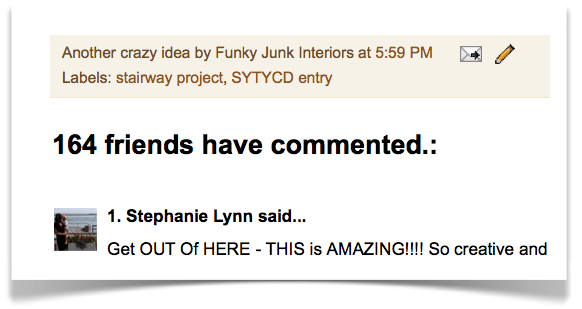
When someone comments on your blog, many of us love to comment back as a blog courtesy.
Lecture
I get emailed a fair bit asking what I personally do. And then I email others and ask what they do. ‘Round and round we go!
In a nutshell, you need to do what’s right for you.
Are you wishing you had the time to comment back to each comment you get? Me too. There was a day when I did just that. And at times I still do. But if some post receives 80 comments, and my son needs to be fed, you can guess which comes first.
This is my feeling. If I give someone a kudos, while it’s nice to get an answer back, I don’t expect it unless I asked a question. We all have busy lives. If you feel you can comment back, by all means, do so! But to put that pressure on yourself that you MUST to each and every one is in my belief, somewhat self inflicted. It’s easy to do in the early days of blogging but gets increasingly difficult as your blog grows.
I suggest:
– respond back if you can. I believe interaction creates bonds that are not soon forgotten. If you can’t, at least address ALL the questions.
– Answer questions within your comments (for the benefit of all) AND emailing them back as well. Remember, not all (if any) will actually return to your post a 2nd time to read possible comments from you. I do it for the benefit of new commenters.

– Fire up a Facebook account and ask/answer questions there. It’s a breeze (and very fun!) to communicate with all! Join us! FJI Facebook is a chatty and fun group!

– It pays to check it out and play around on Twitter and see what you think. It’s so universal. I found out about the photo contest I entered there ( and won) and bloggers from far and wide got to the Nate studio, thanks to Twitter. You just never know!
ID yourself with your blog url
in emails and comments
What it does:
A blog url is your blog’s home page address. If you click on your header, this is your blog’s url. Mine reads as https://www.funkyjunkinteriors.net/
Lecture on emails
I get emailed alot to check out someone’s blog. Or a specific post. I just weeded through 70ish emails today so can you imagine how much is on the go when this transpires? 🙂
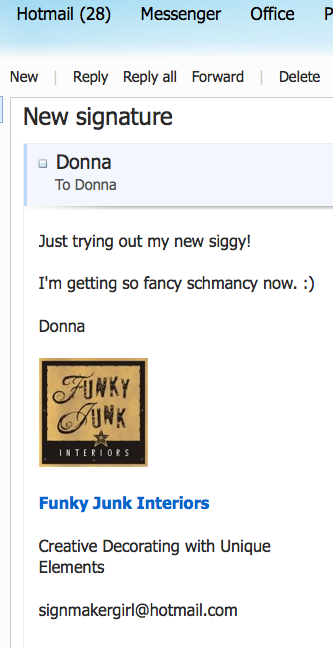
Please look into your email settings and at the very least, add an active blog link as an automatic signature so you don’t have to do it every time you email someone. This helps to identify you as well as making you easily found! I don’t consider it spam. I consider it good blog biz. Maybe I WANT to check you out, ya know? 🙂
Want me to spec out a specific post? Please include the url for THAT post too. I’d rather help 5 of you than just one of you in the same amount of time. Thanks!
Lecture on blog posts
Got more than one blog? You may even wish to leave your direct URL under your name in your comment. I do that at times so one doesn’t have to search all my blogs to find the ‘real one.’ I think I only have 5 or something ridiculous like that. 🙂 If you comment on a blog, many times they follow your comment back to you. Make it easy for them!
Homework
I totally suggest to sign out of your blogger account, then go make an attempt to comment on your blog. See for yourself all the hoops that must be taken in order to do so. Then go ahead and tweak to your heart’s content. You now know how. 🙂
And by all means, please share this blog link to whomever you feel could use a little blog savvy help. I thank you in advance! 🙂
What do you think?
Did I mention any pet peeves of yours?
Have any suggestions on doing something better than above?
Feel free to share!
Like blog tips? Click HERE for a whole list of them.
Thanks for this! I had a lot of it already taken care of, but I made a couple of changes to make my blog more user friendly…namely that word verification removal!
Well said! I hate the word verification things. I do most of what you suggested already but I am going to change a couple more. Thanks!!!
Nice bunch of tips, thank you! I am not sure I get the post page thingy, it won’t let me change that anyway but I think the embedded comments is working. I sometimes feel a bit put off by comment moderating, would like to see my comment post before I leave the site. I don’t visit blogs with controversial content so not sure why some choose that.
I was tweaking my blog earlier today and wishing I knew how to make a button. FJI was reading my mind, and just like that my answer appeared. Gotta love that! I am off to try it, wish me luck.
Yes, Yes! I too did a post about this last month.
You added a bit more which is great. I got a lot of positive feedback about this. One thing, I just add < center> to the beginning of any button to get it to center and it seems to work. Maybe it automatically adds it to the end. I don’t have a contact me button but just a link. Thanks.
I am so with you on the music issue. It’s so incredibly annoying to have someone else’s music play on my computer. Especially if I’m already listening to my own music. Thanks for the tips!
I totally agree too on the music bit – it really annoys me when I suddenly hear music playing. Great tips. I just want to figure out how to reply to the comments left on my page rather than emailing whoever has commented. Gonna do some of your suggestions!
#6 Sandra, that’s comment notification. You’ll love it!
#4 Anita, feel free to post your link URL for all to also enjoy!
Donna
ThaNKS 🙂 I also dislike the word verification (although some of them are outright cute lol) I now added the embedded coment thingy, never knew how to do that…well I knew! But didn’t know I had to sign out to check it duh.
Thanks again, and you can email me hahahahaha (just kidding….sort of 😉 )
Nice post! I just change the word verification, thanks for such great ideas. Wasn’t sure about the embedded page thing, it wouldn’t give me a choice. Hmm, anyway great post- Thanks!
blessings,
melody
Thanks for the awesome post! This is something I’ve been meaning to get around to!
The music thing drives me NUTS. It’s to the point where I’m about to unfollow a few blogs I frequent that play music, mostly because I like to play music of my own during the day and don’t want to have to put everything on mute just because another blog is competing. It also freaks me out at night when I’m not expecting it (well… in the day too actually).
Whoops, I guess that turned into a rant 🙂
Off to go share your post!
Thanks for taking the time to put together this post! I found it very helpful.
I totally totally agree with all your comments… I had the word verification on at first.. but when I started commenting on other blogs.. I found it annoying.. Hence I’ve taken mine out a long time ago.
You totally rock.. For fairly new bloggers like me… this kind of information is so so helpful.. Some stuff I know.. some I havent even thought of.. So opens my eyes.. and makes me think.
Thank you love!! You are a star!!
Thank you, Donna! I’ve just finished doing a little tweaking on my blog. I disabled word verification a hundred years ago, but have been using the approval thingy-magig. I changed that tonight…but not to “NEVER” moderate, because most of the spam I get shows up on older posts. So, if a post is more than 3 weeks old, I’m still moderating. I’m heading off now to check out my new-fangled blog! Woohoo!
I hope you’re having a gorgeous week!
: )
Julie M.
THANK YOU, THANK YOU, THANK YOU! Fantastic post! It is disappointing, when I would love to respond to a funny comment, a question, or tidbit, and am unable to because of the non-respond or the profile is not active. I love the interaction between bloggers, it stops me in my tracks when I come across those features.
Comment tips great, I am going to check mine, I think I have the pop up window and HATE word verification. I have not commented before because of it. Some great blogs still have it, huh??
Thank you for this information! I have already actioned some of your points on my fledgling blog.
Can I just join in the music rant & say I HATE IT?
Cheers
Mrs BC
On my blogger account, I’ve been told that visitors have to have an account to leave a comment on my blog. Is there anyway to change this so people can just leave a comment without all of those extra steps?
Donna, How come every one says they hate music, me included, and yet some big bloggers use it on their blogs? I don’t get it…I always have my computer on mute because I hate it!! Also totally agree about having to do an extra step or two because I am trying to leave a nice comment…and it takes ME more time to do something nice, this also doesn’t make sense. I have rarely gotten spam and I just delete it, big deal. Great post.
Thank you for posting this!! I have pet peeves about all of these – but I think lots of time it is just that people don’t know how to change them!!! Great post and I am going to share on my FB Page!
Thanks so much for posting this! Now, I would love for you to see just how easy it is for you to post a comment on my blog!
By the way, I’m trying your one minute lampshade this week because I honestly don’t want to pay more for a lampshade than I did for my lamp!!
This was a great post! I really wish all users would make their profiles active. I hate when I can’t email someone back to respond. I have my google email on my blackberry so I respond to my followers quite often…when they let me! I just realized I had the annoying word verification on my blog and fixed that asap. Thanks so much!
Great post Donna ~ I already made some changes to my blog, and also added a link to your post.
Enjoy your life ~ FlowerLady
Thanks so much for this PSA! I hate not being able to email back to someone personally after they leave a great comment!
And the music thing too, it always makes me jump! And when we used to have dial up (not any more thank god) I couldn’t even read the blog anyways.
Great suggestions. I hate doing that verification, as you say sometimes it takes more than 1 try and I give up. Some people also have it set up where you have to key in your name, e-mail, blog … and I never comment there.
Music is annoying … especially if you are checking blogs from work (hahaha)!
I agree. I blog about a hair salon and because of the salon’s name and my blog’s name, I get traffic from some pretty obscure places. So far none of these people have left inappropriate comments on my blog. I think the content of your blog has a lot to do w/the kind of comments you get. If you’re not posting something racy, controversial or politically charged, the spammers and the n’er do wells will go elsewhere. Since most of your readers are creative types, that’s who they’ll attract. (That’s why I’m here. When I’m not blogging about the salon, you’ll often find me crafting or working on my home.) As a general rule, their comments will not need to be monitored ahead of time.
Amen sister. Great post.
You’re a blogging goddess, I tell ya. I just posted a link to Going a Little Coastal’s post about comment verification. I was more mean about it. 🙂 You’re so diplomatic!
The only other pet peeve I have is fonts that are pretty but hard to read…or just too darn small. If the background color is darkish, and the text light, my eyes go buggy and I exit the building. 🙂
About the embedding….I’ve had folks say they prefer the pop up as they can read the post and comment at the same time. Personally I don’t like clicking and scrolling, but ya can’t please everyone all the time!
I’ll be sending people to this post for sure. Thanks for typing it all out!
Oh HALLELUJAH!!!
Excellent post.
And could I add, for those on blogger – open up your comments to people OTHER than other people on blogger (allow name/url).
Sure you might get a bit more spam, but I bet the commenters on other platforms will appreciate the direct link to their blog, instead of a google about me page.
Wow Donna, lots of great information. I’m going to have to read it again! I’ve been trying to make my blog as user-friendly as possible. Thanks for taking the time to share!
I’m with you on the music. But, as someone who has been inundated with spam, I have comment moderation. I also removed my email address from my blog because of spam.
But then again, my blog isn’t an extension of a business, nor am I trying to make money with it, so I don’t feel as though doing this is limiting my blog in any way.
Thank you Donna! I couldn’t agree with you more on every topic. Early on in my blogging days I took your advice on most of those topics. I only recently stopped the pop-up commenting box and now it’s nice and neat under the post.
And a huge thank you for teaching me how to add the mail box on my facepage! I’d didn’t plan on doing this morning but it was fast and easy (and now…done).
Great Job 😀
FANTASTIC POST! I found this via twitter, and re-tweeted it! Happy to say I have everything already as you said (yay to the whole comments set up – I wish everyone would do it that way), except for an actual email contact button. I have a contact page, but nothing you can click directly on on my home page. Will think about that one!!
Off to have a good look around your blog. Great to have found you!.
Linda. x 🙂
Lots of good tips…I need to go back and see what is happening on my blog…I wish blogger would figure out that once you have commented on someone’s blog that you are “safe” and wouldn’t have to do the word verification every time…
donna,
i love it! you crack me up!! music on blogs drives me *crazy*!!!
and i’ve also been wondering about the whole commenting back thing… i mean, i only get a handful of comments (if that) on each post, and i know those folks are likely not coming back, so i felt kinda like i wasn’t talking to anyone sometimes…. but i like what you say about “for the benefit of other readers.” also, the email notification is something i’m going to try 🙂
my pet peeve is when i have to use my google account profile as my “comment name” as opposed to just linking back to my blog. i don’t like to use that as much, and i feel like it’s an extra step for someone who is curious (i.e. they need to click on the profile link, then find the blog name… and there may be several, so try and pick the right one… *then* get to the blog… oy!)
so yes, thanks for the lectures. they’re terrific 🙂 🙂 🙂
Thanks for the heads up! I just changed it all! 🙂 It does make it easier! Blessings! Marybeth
Hey, girlfriend. I have mixed feelings on the comments–I had them underneath, but then realized I disliked scrolling through a bunch of them on other blogs AND if I wanted to go to older posts I had to keep clicking on “older post” instead of being able to scroll down w/o going back up to the top input line (!-I forget what it’s called) and erasing the rest of the post address.
Have you ever disabled the “Anonymous” comments? I’ve been getting tons of spam lately that blogger has been filtering, but still it’s all under “Anonymous”. I also don’t like getting nasty comments through there–if you’re going to disagree with me, do it, and don’t be shy about it!
Thanks so much for all these tips! I’ve got to go through mine soon and fix it all. Better yet, maybe I should just send you my phone number and you could just personally mentor me through all this blogging etiquette?! (with so much time on our hands, we could talk all day ;o) LOL
You are always so helpful to me- thanks Donna!
Blessings,
Becky C
Thank you so much for taking the time to post this. Guess that is why your blog has a gazillion comments and no one visits my blog. 🙁
YAY! for this post!!! The noreply is the WORST! I’m not going blog searching for an email address….
Thanks sooo much for this very informative blog! You’ve answered a lot of my questions and I really appreciate it.
Pamela
Thank you for the suggestions. I’m new to blogging and these were really helpful!
Heidi
Thanks for the tips. Any help is very much appreciated for a beginner like me. Happy Tuesday.
I agree with you on every point. What a pain it can be to comment, load music, and contact the blogger. As for weeding out spam, I use wordpress and have an application that weeds it out for me. it’s almost always correct.
Oh , dear Lord, thank you God for this post!!! You said it sista’ ditto on everything you wrote!
Hope you don’t mind, I may just link directly to this post for my next post.
and…you don’t have to comment back to this!
-denise
I have to agree with Cindy @ Cottage Instincts on the hard to read font. There is one blog that is a blueish color and I have to highlight it to try to read it. And not very well so sadly, sometimes I just skip it.
Here is a link to my post on the subject. Glad you added more to yours.
http://goingalittlecoastal.blogspot.com/2010/10/unrexc-plicrom-tegunt-just-say-no.html
One great big giant Amen to all you just wrote. Another thing I hate is that when I try to leave a comment on a blog that is using WordPress,etc, we old bloggers from Google accounts have to try 3 times, count’em, 3 times to leave a comment. More times than not I just skip ahead to the next blog.
Thank you, thank you, thank you. Your comment went through the very first time. What a joy.
Ok – since I’m old and have no idea what I’m doing – I was happy to see that I had most of the things “right” on my blog. Now – the “contact me” button will take this old person a while to figure it out 🙂 Thanks for the great tips!
Thanks for taking time out of your busy day to write such an informative post. Tips and suggestions well taken!
Great tips…it gave me a lot to think about and even more to fix! LOL
Kristen
Yes, yes, and yes, Donna! Good tips that I’ve covered most of on my blog too. Great for the new bloggers who just don’t know about this stuff. Good points to ponder.
Agree with most of this. I also hate those gadgets ( traffic lists or spinning globes or whatever ) that show that you showed up from wherever you are in the world. Gee whiz, would be nice to read or re-read a blog without announcing my presence eavh time. Makes me NOT want to read it.. Also don’t like ads plastered everywhere. Good post, saw this off flowerlady today. thanks, Gina
THANK YOU…i HATE all the comment dances & yes, it does keep me from commenting as i refuse to do the dance! 🙂 i’m looking forward how to make a button…i’s clueless! 🙂
Completely followed every tip you had! Thanks so much for sharing. It makes total sense, everything you said! I hate that pop up box where I have to verify a word, and I have NEVER contemplated making sure my comments DON’T require that! Thank you again! I love your blog!
One of the first things I want to experiment with next is figuring out how to comment UNDER you, not way the heck down here! 🙂 Soon! Coming soon.
17. Inspired Life said…
On my blogger account, I’ve been told that visitors have to have an account to leave a comment on my blog. Is there anyway to change this so people can just leave a comment without all of those extra steps?
A – I signed out of my blog and attempted to comment. And it worked. Which means it can work, IF you allow anon comments on your blog, AND your guest picks ANONYMOUS in the scroll option when they go to comment. Yay!
18. Amy @MaisonDecor said…
Donna, How come every one says they hate music, me included, and yet some big bloggers use it on their blogs?
A – Pie in the sky question, Amy! It’s my guess they may be too busy to read blog posts like this to understand how much certain features are disliked. Time to send them an email with this link? 😉
28. Jan said…
And could I add, for those on blogger – open up your comments to people OTHER than other people on blogger (allow name/url).
A – Amen! I agree! Sort of the same thing as the question above. Just do it! Allow anonymous comments and you’ll get non blogger types too! This is good btw. VERY good.
30. Get Your Martha On said…
I’m with you on the music. But, as someone who has been inundated with spam, I have comment moderation. I also removed my email address from my blog because of spam.
A – I highly suggest at the VERY least, offer up your email on your blogface with… getyourmarthaon(dot)com. Spell out the dot and you won’t get spam. And you’ve still allowed us a means to contact you. It’s better than nothing.
36. Kim said…
Hey, girlfriend. I have mixed feelings on the comments–I had them underneath, but then realized I disliked scrolling through a bunch of them on other blogs AND if I wanted to go to older posts I had to keep clicking on “older post” instead of being able to scroll down w/o going back up to the top input line (!-I forget what it’s called) and erasing the rest of the post address.
A – there is no perfect fix. But keep in mind, your guests are the ones that comment on your blog for the most part, not the blog owner, so tweak according to what they like.
Have you ever disabled the “Anonymous” comments?
A – No. I’ve always had it on. It allows non blogger types to comment. I have lots of friends that don’t have blogger accounts and I want them to join in the fun.
38. Ann said…
Thank you so much for taking the time to post this. Guess that is why your blog has a gazillion comments and no one visits my blog. 🙁
A – You’re welcome! Now everyone, let’s go give Ann some comment love on her blog today and see what she’s all about. Party continues at Ann’s house! 🙂
52. Antique ART Garden said…
Also don’t like ads plastered everywhere. Gina
A – I’m sorry I have ads plastered everywhere. 🙂 However I attempt to keep them in a non intrusive place so they are visible but an option to gander on over.
But it can be overdone, I agree. I can’t stand the ads on bigger blogs that have them within a post! Gaaah! I get so mixed up as to what’s a post and what’s an ad at that point. It’s said they rake in alot of money doing it that way, but there’s a price to pay for that too. I choose to not go there.
However, please try and accept the fact that bloggers blog for the love of it. There’s very little payment (if anything) for this kind of free info. So if someone has figured out a way where it helps them stay online, I encourage you to embrace the fact that they’re there for a reason. And to click on a google ad once in awhile if it may interest you. Blogs get paid per click on those. Everything helps!
Ok… now off to email all these wonderful questioners. LOL!!
Donna
Ok… if my blog gets booted off the net, please forgive me. I got a warning my comment was too long. I think Google just got a letter! Great. 🙂
I learn something new every single day.
Donna
I had no idea I had word verification turned on! I did what you suggested and signed out and noticed it was on… thank goodness you told me how to turn it off. I hate that on other blogs and I had it too.. Million thanks!!
Something I want to add…
I cut and paste all that info to email back to the commenters. Many of them did not show up in my inbox which means, if you didn’t get a response from me, your settings require tweaking so you do! xo
Donna
Donna you rock!!! I made a couple of the changes but I think my blog has a bug, people can’t comment and I have double post. I cannot figure out how to fix it!!! So frustrating!
#59 Laura, I was able to post on your blog ok from my end.
Donna
I love all the suggestions, but my biggest pet peeve is not mentioned. I hate when I’m looking at a blog and then I see the link that says “Click to Read More.” I can’t stand it! I got to blogs for the pictues, and if I see something interesting, I stop and read it. But if I don’t see all the pictures in a particular post, I’m not going to be looking at that blog very long. I feel like I’m missing some great stuff, but I rarely click the link to keep looking.
Thanks so much for taking the time to share these great tidbits. I am brand new to this blogging thing and appreciate every one of them. My only pet peeve about the whole post is that I did not read ‘rust’ or ‘junk’ in one paragraph. 🙂 There’s always the next post! 🙂 (Off to tweak some settings as we speak)…
all awesome advice… and all of these I have done… but my music? oh please not my music!! that will be a tough one for me to let go of!!! thanks for sharing and happy Tuesday Donna 🙂
Great post! I totally agree with all of it. I also love all of your twigginess below. So you and very classy.
thanks for posting this. very helpful. i did some changes. the only thing that i have gone back and forth on is the music. i do have music. i know when reading someone else’s blog, if they have music i turn down my volume so i can concentrate, but i have gotten comments telling me people like the music and actually turn my blog on to listen while they surf. i try to pick easy listening music.
again thanks for the help.
Good tips! My #1 pet peeve is the $&#! word verification and #2 is the no reply when I try to respond to a comment via email. The only thing I would question is the having your comments embedded on same page without clicking on comments. For those of you who get tons of comments doesn’t it slow down your page loading time?
Wow! You covered alot! I had some questions about how I could email my commenters (is that a word?) Anyway, you answered it. I havea problem with music on a blog, it scares me and slows it all down. I usually mute it. Thanks for your advise, I am headed to make some comment adjustments right now.
~Danylle
It’s me again. How do you get your comments numbered?
Thanks!
#65 Pressed, nothing wrong with having the music available to all. However you’ve heard the majority speak on the issue. Just have it disabled so it’s a choice, not a must. Easy!
#63, your call to make. However, you heard what others think. I also suggest to have it there but disabled. Just ask who the music is for. You or your followers? Perhaps ask them. 🙂 But I’m here to tell ya, most do not like it.
#66, I’ve never noticed an issue with scrolling, I suppose me asking you would be wiser! Is there a problem with scrolling this page for anyone?
I’ve simply chosen the lesser of two evils. There’s no perfect solution. Only the one that fits the job the best in your eyes. And that comes down to personal choice at times. Who said choices were easy? 🙂
Donna
awesome info! definitely send this to my bloger friends!
#68 How to number comments: Drat! I thought I bookmarked it.
This is what I suggest. Google ‘blogger numbered comments’ or something similar. Then start clicking the links. Find a blog where you LIKE the way the comments are numbered. There’s only 101 to choose from. Then follow their tutorial.
You have to dip into the html coding to get this one to work. I suggest to try it on a made up test blog beforehand because if you mess up the template, your blog could go down down down. And always save a copy of your template before doing so.
This subject needs a post all on it’s own as you can see.
Donna
yes!!! say no to word verification!!!!
All GREAT Suggestions thanks for sharing!
Something I’m going to add to this WAY LONG post is to also put signatures in your emails. Leaving an active blog link in there really really helps if you ask questions!
Also, please oh please, if you want someone to check out a post, add the URL to your email so we don’t have to ask for it. 🙂
Donna
What a REVELATION! I had NO idea….. I think I have now fixed up most of my fauz pas – so Thank You HEAPS. Just one question – when SPAM does pop up – (a) Do you mark it as DELETE or (b) Do you mark it as SPAM? Just a little unsure on how to go with this one. ;)Sharyne
Sharyne, so far I’ve just deleted it. I believe if you mark it spam, it goes to sit in the spam folder which in future weeds it out for you, however makes an extra step in getting rid of it. Either or!
Donna
I so appreciate this post. I needed to know how to get my comments under my post. I will be sharing this on my blog. You are very good at giving great instructions. I know this post took a ton of time and we are all grateful.
Thank you, thank you! I thought I commented, but can’t find my questions. When you want to start a blog, do you need to take a blogging course? WordPress or Blogger? Thanks Ann
Ann, most of us are on Blogger because it’s a widely used platform. Is it better or worse than wordpress? I have no idea. I think it’s like PC vs mac. They’re both good, but different.
Many bigger blogs are moving to wordpress for a variety of reasons I’m not yet educated in. I’m still banging keys in blogger because I haven’t had a reason not to. Yet. 🙂
Google is your best friend when you start a blog. Google for help in any given topic and you’ll get 101 answers to most anything. Google is Mr. Know It All and the price is right too. If you have the time.
I’ve played around with writing an ebook for beginner bloggers and one day I might. But the way things change so quickly, my last ebook would have been outdated before I finished it. Glad I spared myself that one. 🙂
Plenty of info on Google on How To Start A Blog too!
Donna
I enjoyed this post and found it by way of Cottage Instincts. I think I cleared up everything on my blog that you posted here, but my BIG question is what do you recommend for getting more traffic on a blog?!
I just wanted to thank you for this post, you hit every topic! I had to go back and check a few of my setting and thankfully I was OK. Thanks for all your hard work. I’ll be linking back to this on my FB 🙂
Kristin
#79 Kori, I wrote a post about blog growing here:
https://www.funkyjunkinteriors.net/2010/09/improving-your-blog-10-ways-to-build.html
More blog tips are located here:
https://www.funkyjunkinteriors.net/2010/05/blog-tips-on-fji.html
Donna
I hope everyone in blogland has taken note of this post. This was extremely helpful being that I’m a newbie. I didn’t realize that I didn’t have some of these features selected. Hope I made the right changes. I checked the embedding comments thing and it worked. My peeve is the word verification thingy. Grrrr…
Thanks for looking out for your fellow bloggers!
Very very good post!
This is great ~ a big Thank You! I couldn’t agree more with the “music” ~ it always scares me when I’m blog hopping…I don’t need a playlist to view a blog.
My pet peeve is the “Live Visitor Feed” …I’m sure it’s nice to see if people are visiting your blog, but it makes the visitor feel like they’re being watched…that’s how I feel when I see it!
Thanks again for the great tips! ~Marcy
This was great info..I have tried to touch on some, but not in such a sophisticated way as you. I am currently on “break” because I was what you called the self inflicted had to answer everyone gal…that meant well over 200 comments in a week…too much to handle. I am still conflicted with the thought. I feel blogging is NOT all one sided…if someone takes the time to visit you, it is courteous to do the same back. To me it is just well mannered..however, I see it becomes impossible. Well thanks for the info, I do hope bloggers get it and do it. The WV is the worst!
Love it, Donna! It should be required reading for all bloggers 🙂
Thank you thank you thank you, Donna – for all of your work on this post and for helping us rookie bloggers out here feel more welcome and comfortable in blogland! I made some changes that you recommended, but am confused about this section on “Post Pages”:
dashboard
settings
comments
archiving
select Enable post pages and fiddle (I just don’t get this enough to explain it)
I couldn’t find “enable post pages and fiddle” anywhere…..? Under “archive” there are only two choices – Archive Frequency and Enable Post Pages. “Yes” is selected on Enable Post Pages and I can’t change it….
Ok.. Now I’m confusing myself….. lol! But I’m going to log off and log back on to see if the changes I made worked.
xoxo laurie
OK, I didn’t read through all of the comments, but my pet peeve is when I’ve taken the time/effort to comment, but can’t leave a comment with only my name & URL – when you have to sign into blogger or wordpress or whatever.
Since my blogs (www.HomageStyle.com & http://www.LearningtoLiveSmall.com are hosted as websites, I can’t just use that.
Unfortunately, I just leave at that point without commenting.
Music is another peeve…in addition to scaring me when it finally loads, I’m usually sneaking around blogs late at night when my kids are sleeping, so I’m always afraid it will wake someone! LOL!
Laurie, I don’t get it either. But it’ll work. I should have left the post pages thing off… I might tweak the post. 🙂
Donna
thank you so much for this- I agree with all but never thought to give my own blog a review! I think I did all that you asked (I don’t put music on my blog-it scares me too! I like when I have the choice FIRST to hear others’ music; that way, I find new jams for my playlist that I play separately)…I too dislike the Live Visitor thingee; like Marcy, it feels like Big Brother is watching-yuk! BUT, my problem is this…I tried to test it but I can’t leave a comment on my own blog; the leave a comment thing is not showing up at all! Can somebody test it for me? Let me know if comment enabler is working right -just say you’re from FJI and I’ll know…Thanks in advance. Kate
You are AMAZING! I have been trying to bribe my brother to help me with this stuff for months! You’re the best! 🙂
Thanks so much for all of the great tips! I’m going to go back to your previous post on blog tips and hope to pick up a few more. I must have spent a few hours trying to figure out how to add someones button…Graphics Fairy button has ended up as my screen saver(ugh!) and I never even got the button on my blog. The learning curve can be tough:) Thanks for being so generous!
Krista
You hit several nails on the head with this one!
Yeah….good luck with that.
It’s a valiant and worthy fight you’ve taken up here, and I’m right there with ya, but I haven’t had much success in convincing my readers to ditch the asinine word verification thingy.
Seriously, I don’t have the time to mess with it anymore, and I’m going to have to start passing on commenting on those blogs that won’t get rid of it, unfortunately…
Anne
Man, did I just sound grumpy or what???
LOL, time for bed, apparently.
Once again, great tips and tutorial, Donna. I took off the word verification for the sake of my readers because I do findit annoying when I’m commenting on other people’s blogs. I was under the impresion that word verification came hand in hand with comment modification. Which I still want. Thank you for setting me straight. I did notice that the e-mails for verification do take much longer to get to me now though. So I’m always checking my dashboard like the addictive-bloggy-freak that I am. 🙂
Good Morning,
I am not a Blogger ,but do read a lot of them I really enjoy all that I read and thank all of you for providing me with so much. Thank you for this. I understand now how it works. My question is some sites that have videos I am unable to watch. I just do not know why maybe you can help.
Hi Donna!
Thanks for the tips! I went right on over and turned off the word verification thing and signed up for email notification.
Appreciate all your help.
Beth
Thank you so much for this post! I always hate doing word verification and didn’t realize you had to do it with my blog!! EMBARRASSING! I went through, checked, edited and added all the tips you suggested! I need all the help I can get, so THANK YOU AGAIN!!
Great tips Donna. My big things I don’t like are when people have noreply email and music…ugh. One thing though, about this…”Every time someone comments on your blog, you’ll get an email which makes it soooo easy to reply back to your visitors! (IF they have comment notification enabled as well)” I don’t think both people need to have comment notification enabled. When I first started my blog I didn’t have it enabled and people were sending me emails responding to my comments and I wondered how they were doing that. I then figured it out and changed my settings so I could do the same.
Thanks for posting all of this 🙂
Word verification removed… check! Email addeded… check! Great tips. I often wonder why so many are visiting as my analytics tell me but I’m not getting many comments. I’m going to check out all your other tips as well. Sign making… home decor… junk restyling… blog tips… Is there anything you don’t do? Seriously… thank you for these tips, I truly enjoy your amazing blog! Thanks to Anita at Going Coastal for the blog button centering tip… I’ll have to try that one as well!
oh my….I just typed out a heart felt dissertation and BLOGGER just killed it.
hate that.
I’ll be back.
~K
Thank you for pointing out the hazards of music on blogs! Inevitably, I have the speakers cranked up for something else I was trying to hear and get blasted. Even for those blogs with music which IS to my taste, it’s annoying. On blogs in which the music isn’t to my taste, I usually won’t come back. (“What I could I possibly have in common with a fan of that horrible singer???”) Great tips!
I think I’ve already done most of these, but I did make one change from reading this–embed the comment form beneath the post. I still don’t have a contact button yet, thanks for reminding me, I’ll have to work on that one!
Thanks so much, this is awesome!
Donna, I think you are the cat’s meow. But I do kind of wonder why it is a problem to just type out some verification letters. For me, I am going to keep them on my blog. My blog was attacked twice and it got really bad. Some people even figured out where I lived and were leaving me threatening comments. If I hadn’t had verifications and approvals I would have had thousands of angry, threatening comments publish before I knew what had happened.
I guess I’d rather have less comments than go through that again.
But I am 1000% with you on the music thing. It is so jarring to be unexpectedly hit with music when you open a blog.
Thanks for a very thoughtful post. You are one of my favorites! Lisa~
Well said, Donna. I’ll bet a lot of us will be referring to this post for a long time. I’m off to check all my settings. I know I need to work on a contact me button.
Thank you for taking the time to explain everything so clearly. You may just have turned a lot of people away from the dark side with this one! 😉
This needs to be pounded in some people’s heads. This was very well written and needed to be said. I’ve gone over my blog a few times and have checked these things so that I’m not a hypocrite. I hope mine is easy to comment on.
What a great post. I learned a lot.
Great tips as per usual Donna ~ love these ~ love you :o)
Thank you so much for this! I am working on creating a blog with awesome image and content and your advice is very helpful. Check me out sometime in the future…we are still working out the kinks!
Thanks again.
Great subject! I have a website not a blog and websites are not comment friendly.
That’s why I added the Neighborhood to my website. It is a social networking site that allows blogs and website owners to promote their sites through discussion, images and videos.
I will leave more messages on blogs that link back to my site. I do, but very seldom sign in with my Google account.
Thank you! As a complete blog noob, I found this post very helpful. Plus, it got me into the dashboard settings and messing with stuff. I may not have a post up yet but my settings are pretty good.
Ok, I’ll try this again.
This is Part I
First and foremost you have taken the time to prepare all of this information for us. We need to be taking up a collection for you. You should be paid for this. Preparing a post like this is no easy or light task.
Donna, thank you.
A lot of your suggestions/ideas/tweaking Polly did for me when I gave her the go ahead to go into my blog. She was designing a button for me at the time. I should be paying her too!
Question:
How does one make the buttons into a two column slide instead of one slide that trails to China on our front page?
Also, any suggestions for blog design or re-design? I have gone to Shabby Blogs and Cutest Blog on the Block. Great places. Are there others that we should know about? I’m afraid to use the new blogger formats for fear that everything will be scrambled or erased. That happened to me already. It’s devastating to have to begin again. Most likely I did not know what I was doing and hit the wrong button. Now I’m too nervous to try again. I would like to re-do the design of my blog. I’m bored with it now.
part II….
Part II
Ok, I’m book marking this post to make sure all of my tweaking is up to snuff. I totally trust your eyes and voice here. I started reading your recent post….oh man….opened a can of worms for me, darlin’, with that topic. I’ll be over there in just a minute.
So part of what I was trying to write yesterday when blogger decided to hit eject on my comment was this:
Can you believe I just forgot? I forgot. Rats. I’ll have to come back.
~K
Thanks for saying all this. Especially about making it harder for readers to comment. I don’t have a google account or “url” so sometimes I cannot comment. ALSO, I dislike the music that blasts on. I would never say that to a blogger because I don’t want to be ugly! Sometimes the playlist is at the very bottom, so I just move on to the next blog. You are one of my very favorites, thanks for your thoughtful words. I enjoy your creative junk vignettes a lot. Thanks.
Thank you so much for the time and effort that you have put into this article (and comment thread) Donna. You’re the best 🙂 Great for oldies too – good to keep up with how etiquette is evolving. Have tweaked my settings. Keeping fingers crossed for more comments. x
Donna,I cannot say thank you enough for this post. I am new to blogging and replying to comments has been quite tedious, I loose track of who I have replied to and sometimes can’t reply at all.I enabled the comment notification this morning and it is great! So easy and quick! Thanks a lot!!!!
Thank you sooo much for the info! The word verification things drives me nuts! I didn’t realize my blog had it on, too! I’ve already nixed it! Yea!!!! I’m your newest fan!
Great info! And well said….thanks!
Ah, this is so appreciated. Well written, funny, and informative! Thank you heaps!
Yay! Maybe now I’ll get more than just 2 comments per entry! Thanks so much!
dont have time to read all the comments, so i may be repeating, but !! you hit the nail on the head all the way around !! especially the MUSIC..what’s up with that??? ihate it…i spend so much time looking for it so i can turn it off ! dont these people read other peoples blogs?? dont they know how irritating it is??? and many many times i tried to leave comments only to be so frustrated that i just quit !
thanks…hope some people actually get this !!
Agree with almost everything. Tried the comments embedded under the post but hate how it takes you to the top of the post and you have to scroll down. If there are a few comments you have to scroll through those to. The pop-up window is much simpler and you can still view the post by sliding the window to the side. I like the window vs. the full page pop up.
As far as the music, have had it on and off and have mixed feelings about it. I usually go back to it because my blog is not only for its readers but for myself. It brings me joy to listen to the music on there and it makes the page seem more real vs. a cold business webpage. I try to at least choose instrumentals to make the reading easier. But I hear ya. Maybe I’ll take a vote on my page.
Thanks again.
Thanks for the tips. I am off to make some chamges now.
Jenny at http://www.thepetersporch.blogspot.com
Thank you so much for all the instructions! I’m new to blogging and was confused by some of the set-up. But, I just followed along with this post and corrected everything. I even created a “contact me” button!! Thanks again!
Kudos to you! I agree with all of these and am ecstatic that you provided such detail. I’ve been meaning to do a post like this, so will link to yours! XOX
Thanks again for this, Donna! I’ve been wanting to add an email button to my blog for quite some time…and I’m working on it right now! Woohoo!!!
Have a gorgeous weekend!
: )
Julie M.
This is awesome. I am linking to this at somedaycrafts.blogspot.com. I totally agree with you about a ton of things – especially word verification!
I just totally took like 6 of your suggestions:) thanks:)
monkeyseemonkeydo-jennifer.blogspot.com
Done! Thanks for the tips.
Great post! I’m going to post about this on my blog and send some people here! This is all great info and I recommend all of it as well!
Carmen and the Primcats
Thank you for addressing music on blogs. I’m usually listening to music as I browse so I find it very jarring when two different songs are playing at once.
Thank you for sharing!
Super fantastic tips!!! A couple of them I had to go back and double-check that I had already done…I did…but I wanted to be sure! Thanks again for sharing!
Have a Happy New Year!!!
great tips, thanks so much!
so helpful!!!!! thanks so much x
Wow! You taught me SO much, even things I thought for sure I wasn’t doing “wrong”! I went to my blog a dozen times and made changes as I read through your post!
This is wonderful! Thank you SO much for taking the time to help us out!
May I add: give the option of Name/URL in the Comment As box! I have my own URL so the OpenID doesn’t work for me, and I’d rather link to my blog than my Google account.
Oh this was so helpful! I go back and forth between embedded comments and pop-up- I always wondered if there was a preference out there!
And I’m with the majority- I really dislike the music! I’m always surprised when it starts and quickly try to find the volume key- ugh!
And I would LOVE to respond to questions directly in email, but MOST of mine are “noreply” which is frustrating. I just have to hope they come back and look at the comments. 🙂 Have you ever thought about a comment program that requires commenters to leave an email? Wonder which one works with blogger?
Thanks!
Jami
http://www.AnOregonCottage.com
Thank-you, Thank-you! This post has been very helpful!
Awesome post! Thanks for sharing all these tips – I am relieved that I already done most of your recommendations, but I’m going to try to comment on my own blog right now and see the real deal. Have a wonderful weekend! Lisa
Good to know that I already did most of this. However, I did change my pop up comment to the embedded one. Just recently when I clicked on a blog to comment and that pop up window “popped up” it kind of freaked me out a bit lmao and I though ugh, mine’s like that, how do I change that right away….Really glad you showed us how 🙂
Thanks 🙂
This is an excellent post. I have only been blogging for a few months and really need all the help I can get. So informative and such simple things that can make a real difference.
Thanks,
http://jandjhome.blogspot.com/
Thanks for the tips! I had most of these figured out, but I did a little brushing up. P.S. I found this post through 320 Sycamore.
Excellent information! I’m still in the process of setting up my blog for user-friendliness, so every tip like this counts double for me.
stellar post! I really love that you included how to make the changes if readers don’t know how- that’s incredibly helpful!
Thank you so much for the suggestions. I am new to blogging and this has been a world of help!
Just want to send you a little blog love for such a great post. I check out my settings to make sure I was all squared away and sent the link to several of my friends who have started blogging in the last few week. Great post. I have read it and am rereading it. Thank you!
Oh this was GREAT GREAT GREAT DONNA!!! The word verification!! I don’t think I”ve found more than half a dozen blogs that I have NO PROBLEM leaving a comment on..nearly ALL of them I hit ‘publish comment’..then it comes back with the word verification (if I’m lucky!)then I enter THAT and it comes back for another go andI hit Publish comment…and i often get..your comment will be published when approved or whatever…and yes, each step you hve to scroll down to see if it’s accepted!!! It is terribly offputting…but so far I’ve persevered!! BUT NEVER THOUGHT OF TAKING IT OFF MY OWN BLOG! AAGHHH! Have now! Thanks for giving the step by step! Will post this link on my bloggie soon.
And the MUSIC!! YES!YES!YES! Talk about scare the pants off me! Especially if someone else has been on the computer playing something or other and left the volume ‘ever so slightly louder than mum likes’!! Eeyikes!! anyway…
ciao bella..you’re awesome! (Man! had to spell awesome three times just then..I REALLY need to go to bed!! hahaha!!)
niteski
jessie, nz xx
EGADS but this was WONDERFUL!! Thanks so much for sharing and, hopefully, making it easier for my blog followers!
This is awesome! Thankyou so much for taking the time to share all of this with us!
Yeah the music and word verification is annoying. Thanks for the tips 🙂
Great post! I found you from Daph over at Flip Flops and Pearls and am glad I visited. You’ve made some really amazingly accurate points and now I’m off to make some changes to my blog! Thanks for sharing.
Run on.
I don’t know how I got here, but I’m glad I did! I had the comment word verification enabled and had no idea I was making my friends jump through hoops. Thank you for alerting me to that and clearly explaining how to fix it.
I do most of what you said, but changed my comment to embedded to see if I like that better. I wish more folks would do away with word verification. It is such a pain!
This was so helpful, thank you!
I think you were an awesome read! I’m here from Debbie’s blog. 🙂
That was very helpful. Thank you so much.
http://mmbcreations.blogspot.com/
GREAT! post!!! Thanks so much! P.S. I absolutely love your site…now I have to go answer those comment emails because, well, I thought I didn’t have to reply back. But I totally see where you are coming from! Thanks again! I’ll be passing this on!
I really, really, really, really, appreciated your pearls of wisdom regarding how to use blogspot.com better. Thank you!
Joyce M
More good tips! I deactivated word verification and activated email in my profile today…another day towards improving my blog thanks to your help.
Thanks so much for this!!!! I am a brand new blogger, just started last week!!! I had done some of those things, but finished off the list of suggestions you listed. I hope you will stop by and check me out one day! Thanks again, an up and coming blogger!
WOOT!… I feel like I got an ~A~ on a test… I had them all right 🙂
I will be passing on the link to this artlice since people aske ma all the time and you did such a stinkn’ good job of laying it all out there 🙂
Maddie- The D.A.
Am I crazy? I have my comments set to be embedded, but it’s not working. You have to click on the word “Comment” and then it refreshes the page to have the comments embedded. Why aren’t they just there automatically so that everyone can see them without having to click?
Oh, and in reference to comment #166 that I just made, also when I click the Facebook link at the bottom of a post, it posts the comment that was just made, not the post that I made. Why, oh why? Help??
Thanks so much. for those of us (meaning me) who are absolute nitwits this has been so helpful.
You’re info is always awesome and so spot on. I know this isn’t a new post, but it’s new to me and it’s super helpful. Thanks 🙂
Thank you so much for this post! I have already made a few changes to my baby blog because of what I read, and I will definitely be back to learn more when I have a bit more time. Your blog looks great!
Just starting blogging and found your site through another blogger… Great information and I will back to figure out more things and possible will have alot questions… Thanks for the info so far. http://marlys-thisandthat.blogspot.com/
It’s hard to find experienced people for this topic, but you sound like you know what you’re talking about!
Thanks
THANK YOU!!!!!!!!
This was so helpful – I just was able to add an “Email Me” button to my blog.
Thanks!!
sotherebyamy.com
I loved as much as you’ll receive carried out right here. The sketch is tasteful, your authored
material stylish. nonetheless, you command get bought an edginess over that you wish be delivering the following.
unwell unquestionably come further formerly again as exactly
the same nearly very often inside case you shield this increase.